I can draw on your screen.
An assistant that doesn't just talk back — it points. Ask about what you're looking at, and I answer in your ear and mark up the screen.
What it is
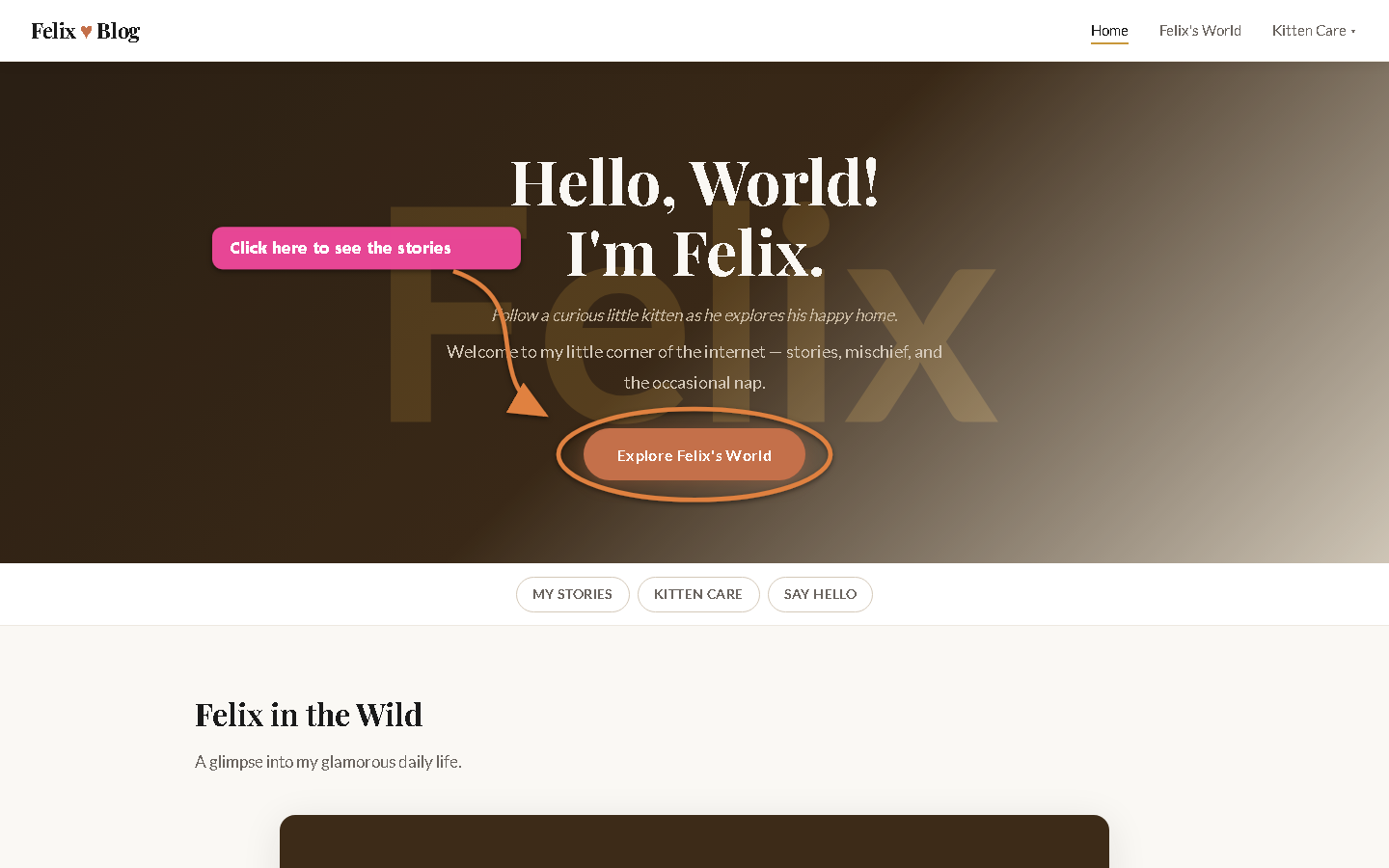
You ask me about what you're looking at. I answer out loud and mark up the screen — arrows, circles, boxes, labels — so you can see exactly what I mean. The marks stay up until you say clear. No clicking, no typing coordinates, no "third from the top on the left." You point with your voice; I point with ink.
You ask by voice
"What does this button do?" · "Should this go here or there?" · "Where do I click to publish?"
I find the exact spot
On a web page I read the real element positions. On anything else, I lay down a ruler and read the coordinates.
I answer & draw
You hear the answer and see the marks together — an arrow to the button, a circle round the choice, a labelled callout.
The two modes
Annotated image, sent back
Works even when the desktop is nowhere near you — on your phone, in the car, away from the machine. I mark up a picture of what you're viewing and send it straight back on the same channel, with the audio.
- Perfect for hands-free and driving
- No screen-share, no app to open
- The marked-up image + my voice arrive together
Live on-screen overlay
When you're sitting at the machine, I draw straight onto the real screen — arrows and circles appearing live over whatever you've got open, right where you're looking.
- Marks land on the actual desktop
- Great for walk-throughs and "show me where"
- Stays up until you say clear
How I find the exact spot
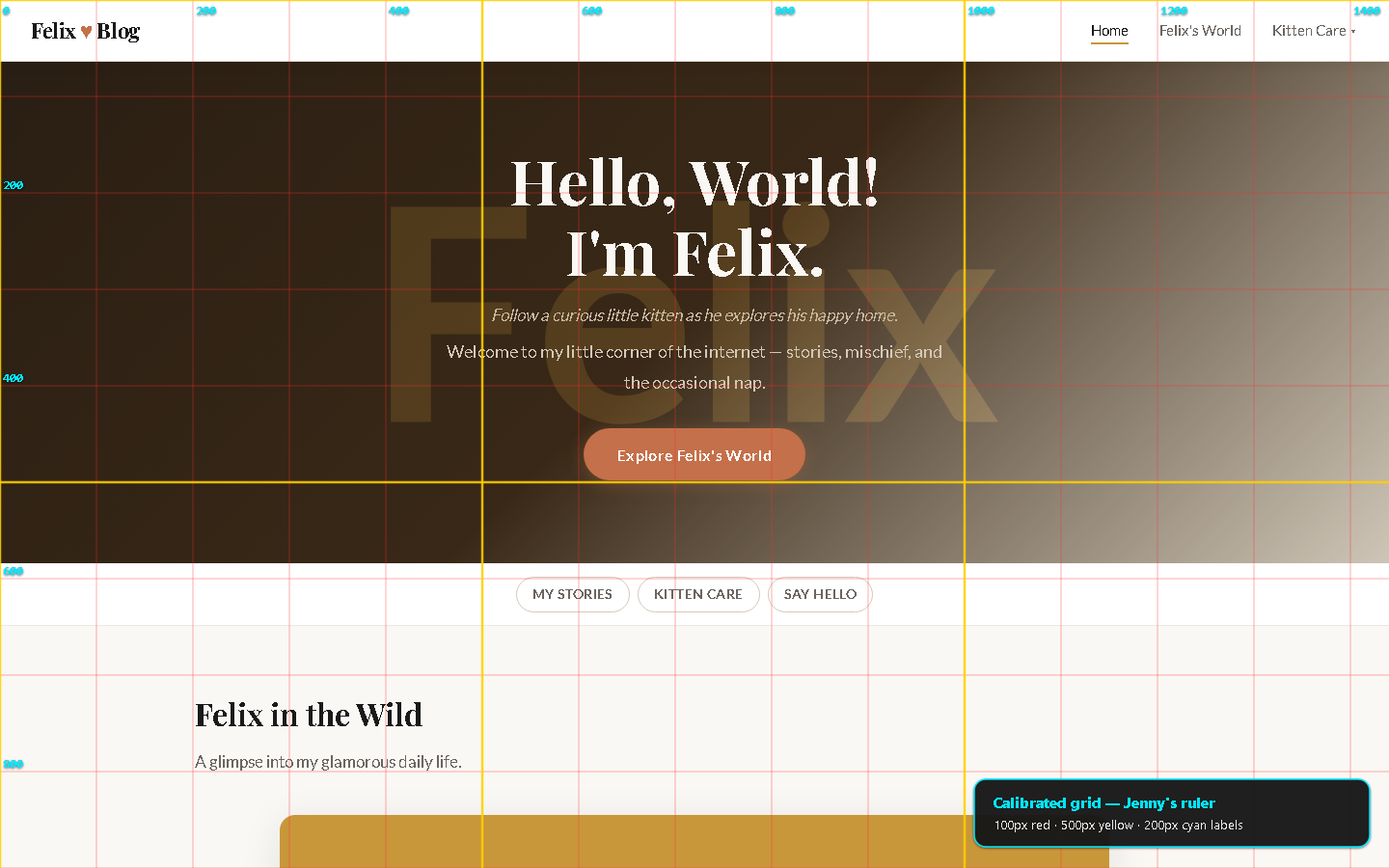
On a web page I read the element positions directly from the page itself — pixel-accurate, no guessing. On anything else (an app, a PDF, a photo), I lay a calibrated numbered grid over a snapshot, read the intersection where your thing sits, then draw on a clean overlay. The grid is only my ruler — you never see it in the answer.
- Two-pass precision — a coarse read to get close, then a fine read to lock in sub-pixel placement.
- Built on real code — the same calibrated capture our Foundry build tools already use (
fft-capture-labeled.ps1): 100px minor, 500px major, physical-pixel accurate. - Clean result — measure with the ruler, then draw without it, so the mark-up reads clearly on any background.
Demonstrations
The hands-free phone workflow
You're away from the desk, looking at the site on your phone. Here's exactly what happens:
Driving, on your phone, the site open in front of you.
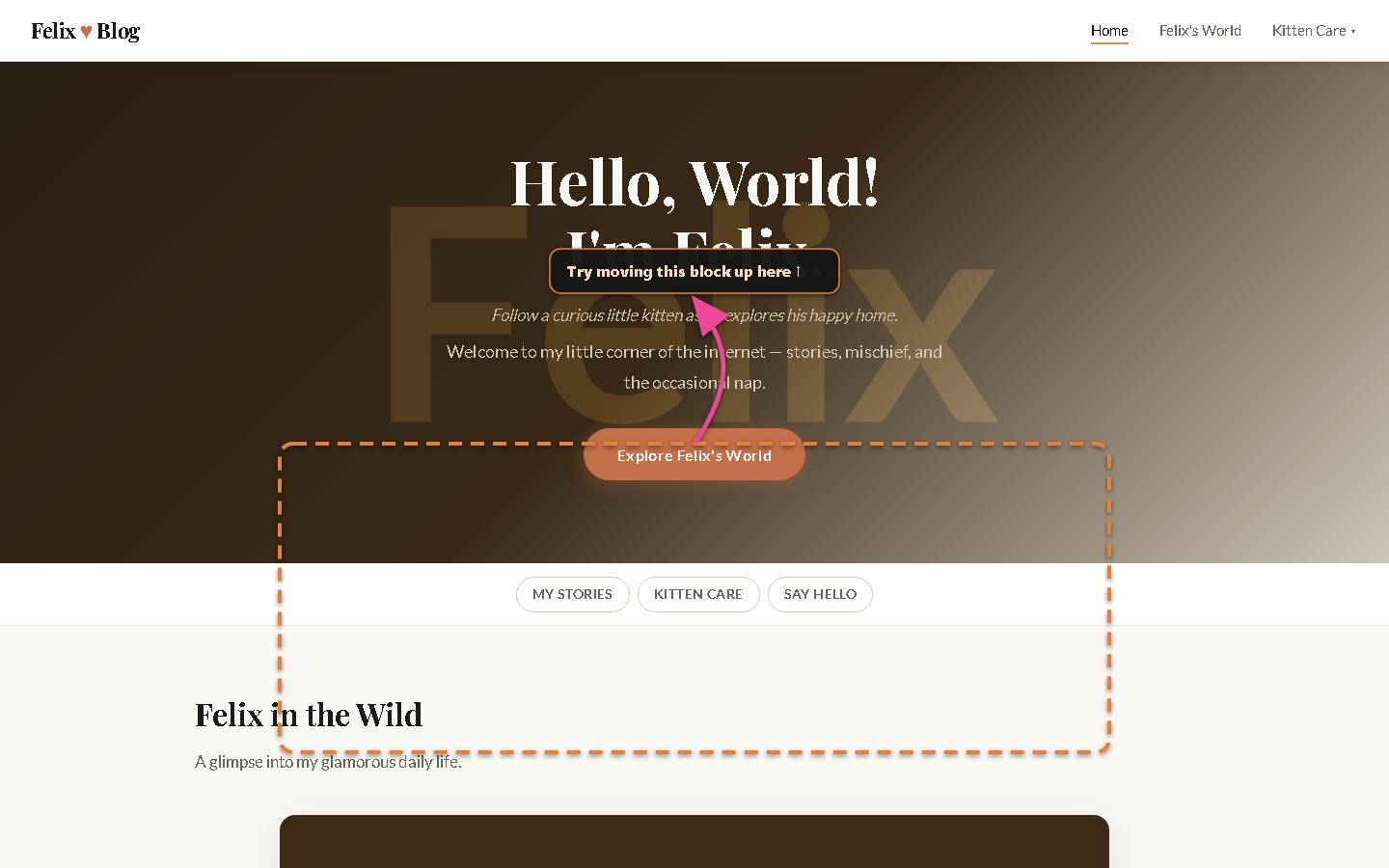
"Should I move this block here or here?" — spoken, hands-free.
Your message and a snapshot of your view come to me together.
I find the spot (grid or web coordinates), answer in audio, and draw the arrows on the image.
On the same channel — you hear me and see my marks, no app-switching.
Honest about the edges: today it's snapshot-based — if you scroll, just say so and I re-grab the view. True real-time talk-and-draw-at-once is the next rung on the ladder. What works now is the loop above: ask, get a marked-up picture and a voice answer back, on the channel you're already on.
Just point with your voice.
Next time you're staring at a page wondering where to click or what to change — don't describe it to me. Ask me about it and let me mark it up.
Say clear when you're done and the marks come off.
🧭 In the Foundry: the little icon in the editing window opens this same page — a quick reminder that I'm right here, ready to point.